For 1990-2009 cars only
Engine Block Plug Removal for Chevrolet Chevrolet W-Series Commercial W4 (W3500/W4500) 2006
Tools Required
J 41712 Oil Pressure Switch Socket

- Using the J 41712 , or equivalent, remove the oil pressure sensor, if not previously removed.
- Remove the right rear engine block coolant drain hole plug.
- Remove the engine block coolant heater, if applicable.
- Remove the engine block left front coolant drain hole plug, if applicable.
- Remove the engine block left front oil gallery plug.
- Remove the engine block left rear oil gallery plug.
- Inspect the block plug sealing washers.
- Remove the engine block rear oil gallery plug.
- Inspect the O-ring seal of the rear oil gallery plug.
- Remove the engine block front oil gallery plug.

Important:
• Do not remove the engine block front oil gallery plug, unless service is required. • If the front oil gallery plug is removed for service, a NEW oil gallery plug must be installed.

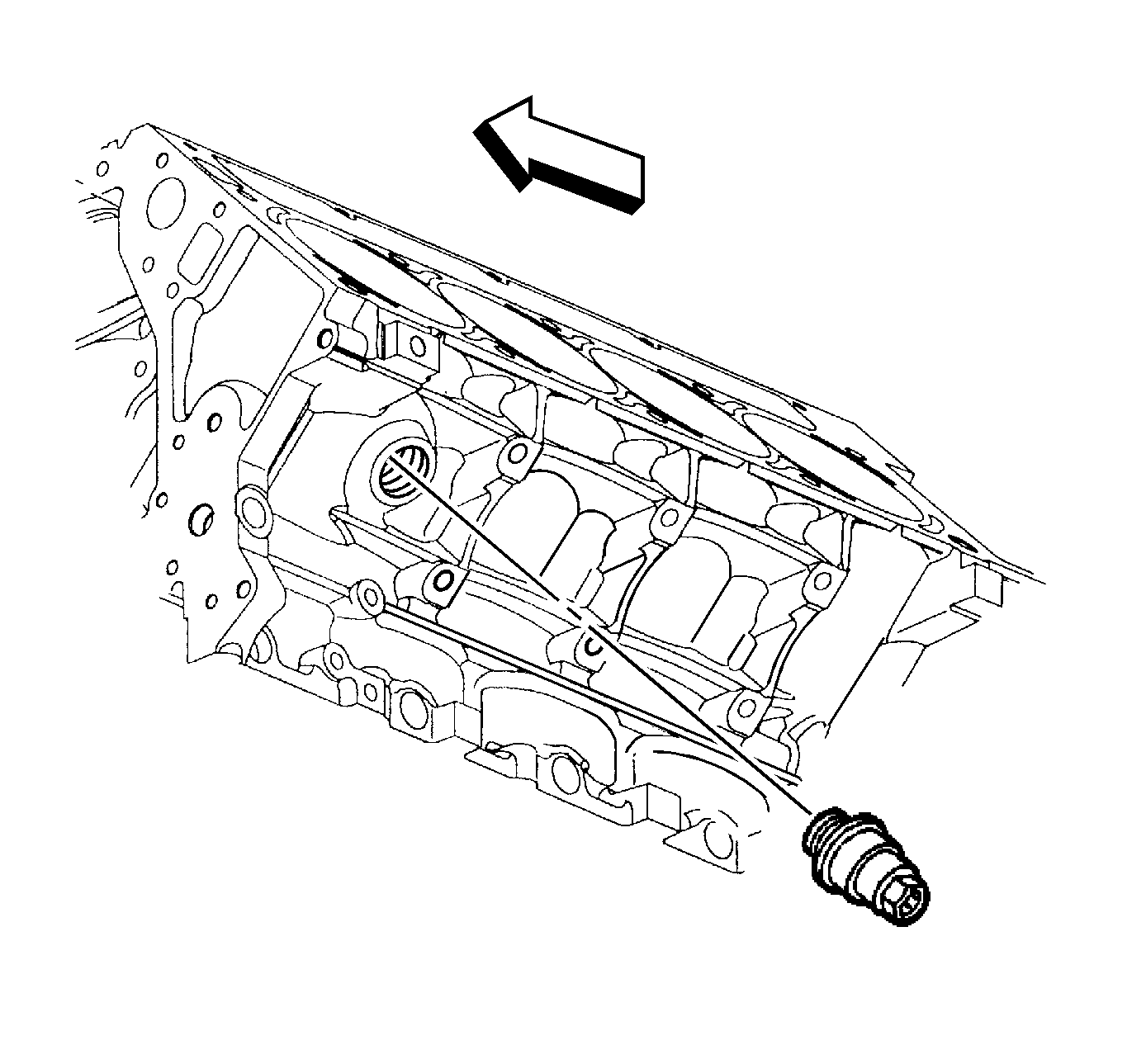

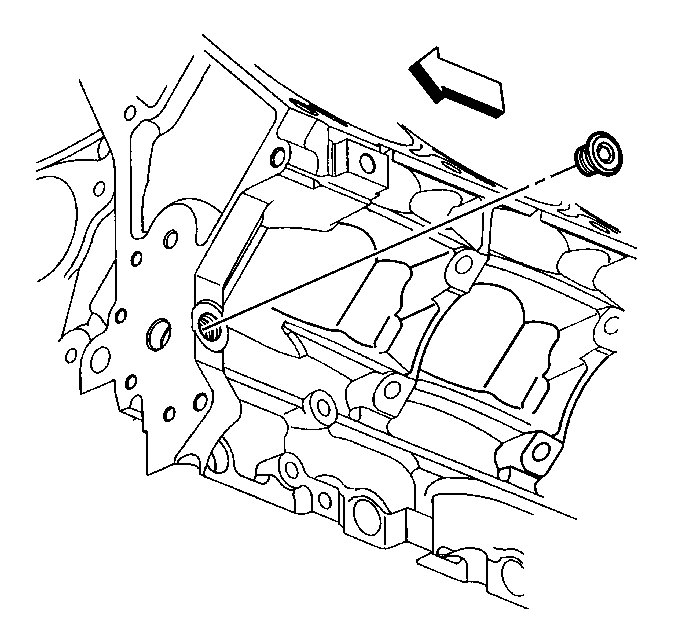

If the block plug and heater sealing washers are not damaged, they may be used during assembly.
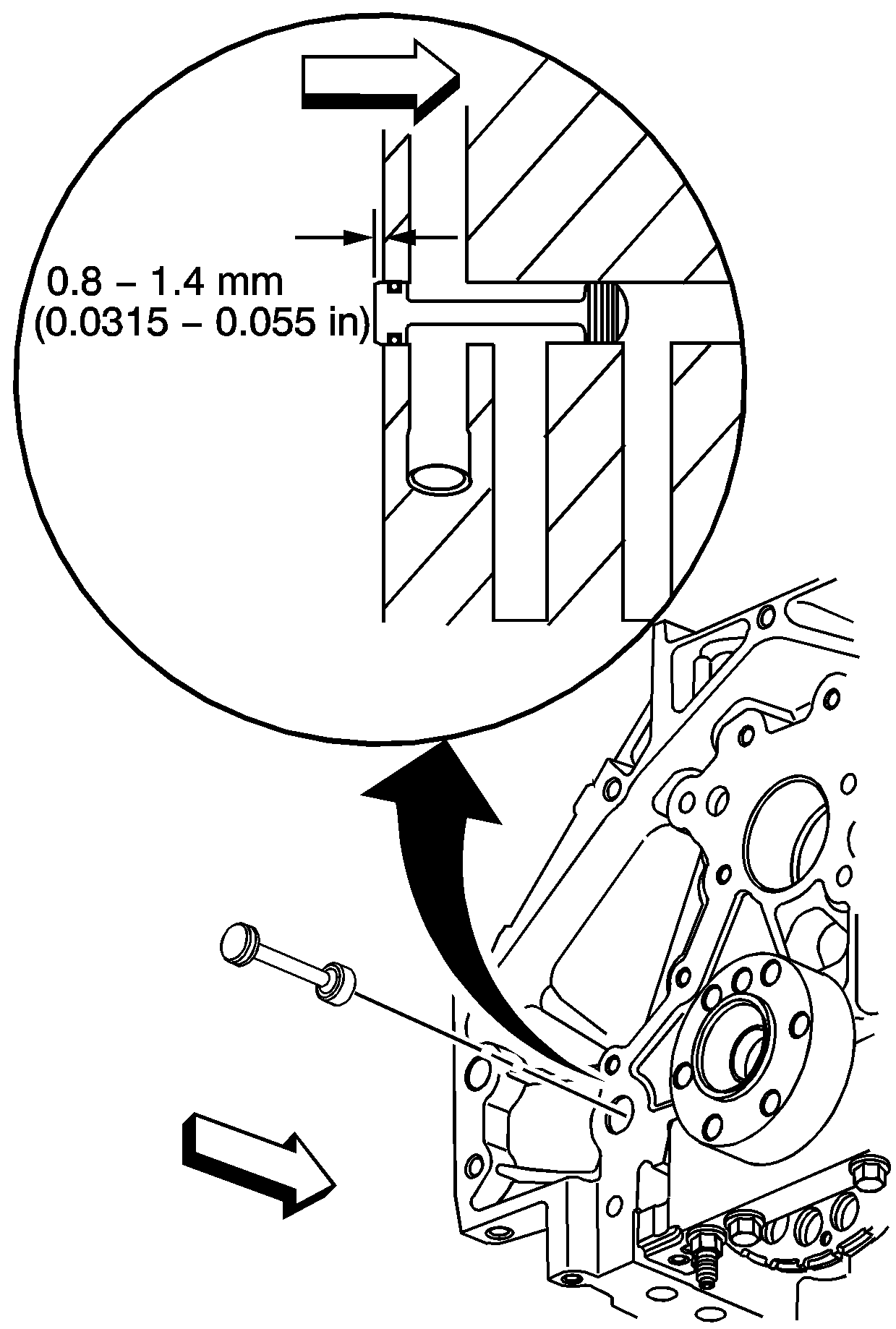
If the O-ring seal is not cut or damaged, the plug and O-ring seal may be used during assembly.

Important:
• Remove the front oil gallery plug, only if service is required. • If the front oil gallery plug is removed, a NEW oil gallery plug must be installed.
